Changelog #2026-10-13

Policy Management
We are making policies simpler to set up and manage. Say goodbye to separate spreadsheets and recurring transactions. You can now pay policy providers directly from Karia, and every payment is automatically reconciled and deducted from the right driver balances. Less admin and fewer errors.
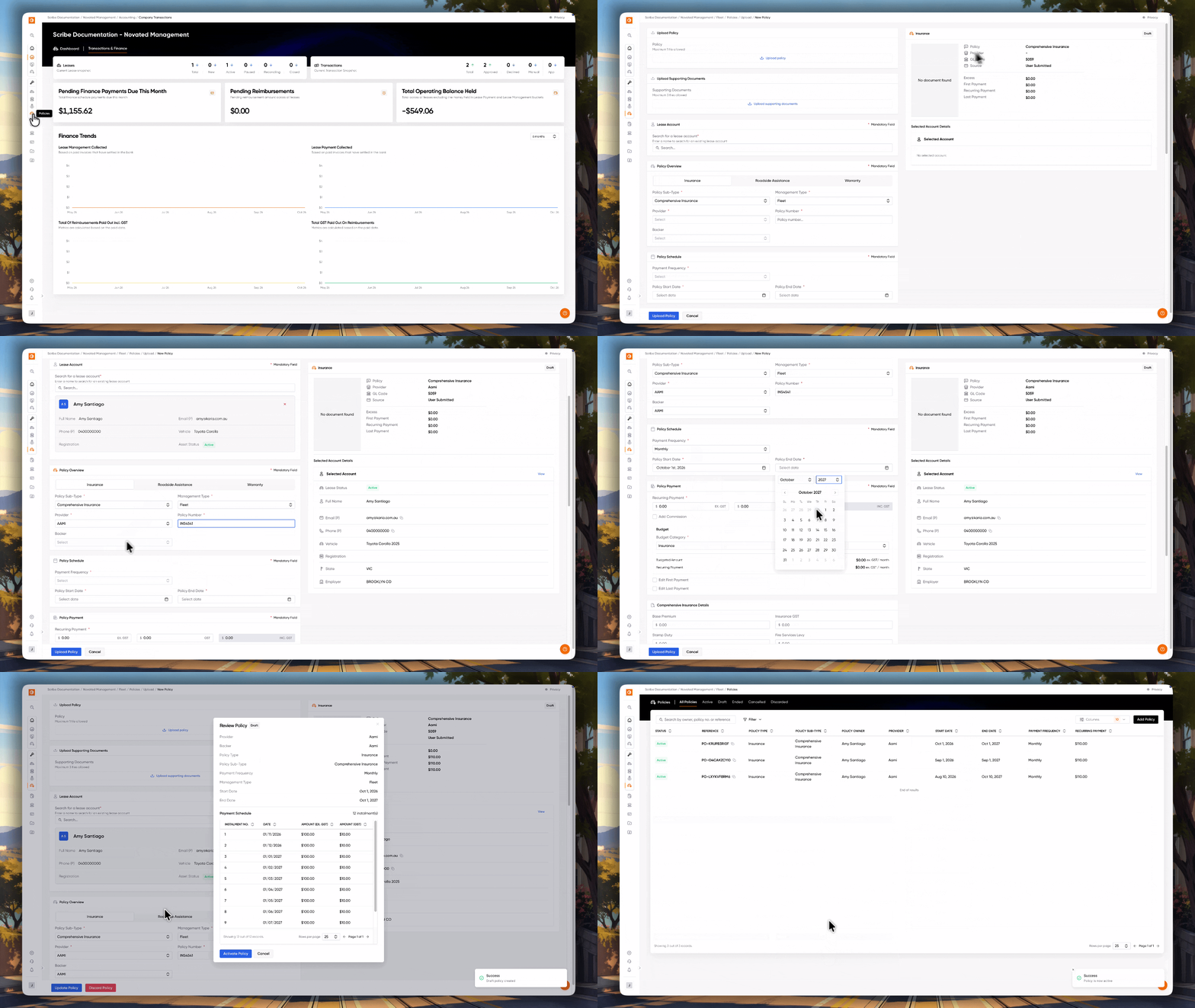
Setting up a policy
We have updated the policy creation form with new fields, so we capture everything needed to generate your payment schedules.
New policy types have been added for roadside assistance and warranty, in addition to insurance. You can now also record commission amounts and edit first and last payments, if needed.
For fleet-managed policies, you can also select the budget category where the policy payment will be deducted from and quickly preview the monthly ex. GST cost compared to the monthly budget for the category.
After filling out the form, you can review the policy details and for fleet-managed policies, preview the payment schedule.
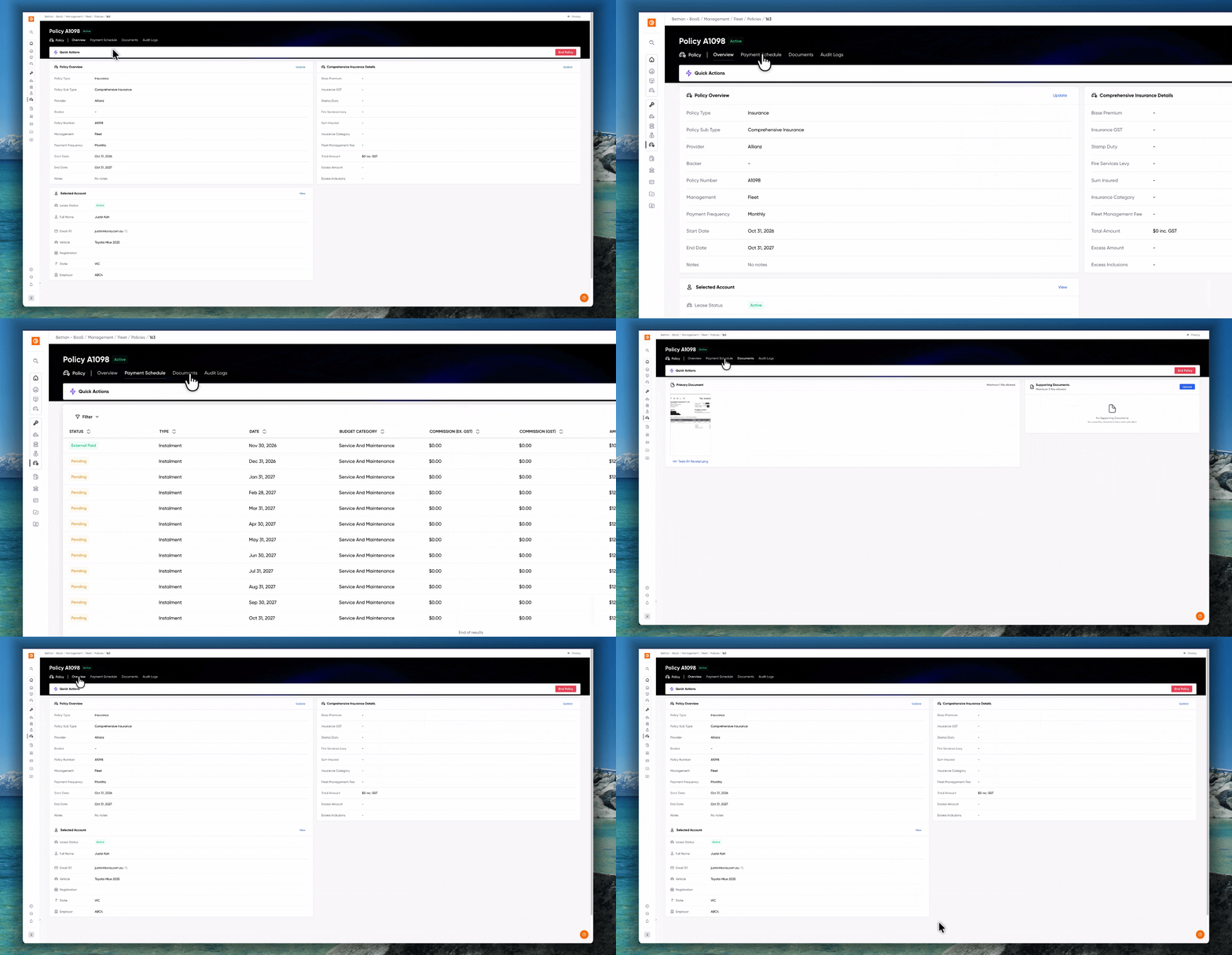
Managing a policy
We've also added new Payment Schedule and Documents tabs to policies, providing you an overview of the payment schedule for fleet-managed policies as well as track the policy document and any supporting documents quickly and easily.
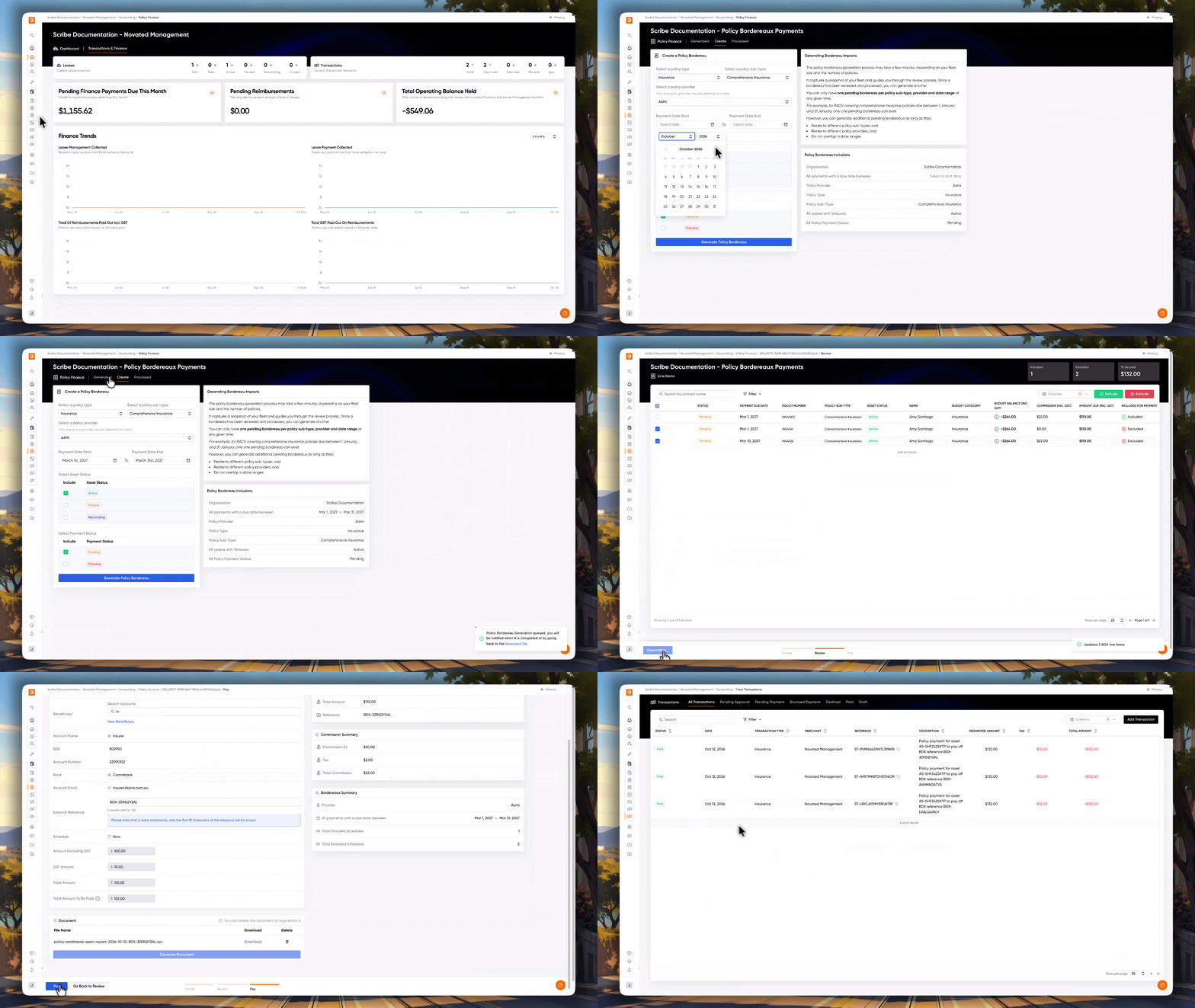
Paying your provider
Paying your provider is simple, and works just like making a finance payment.
Select the policy type, policy sub-type, provider as well as the range of payment due dates to create a bordereau. Then, you can review individual line items, include or exclude them and finalise the payout.
You can only create one bordereau per combination of policy type, sub-type, provider and payment date range.