
Changelog #2026-09-23


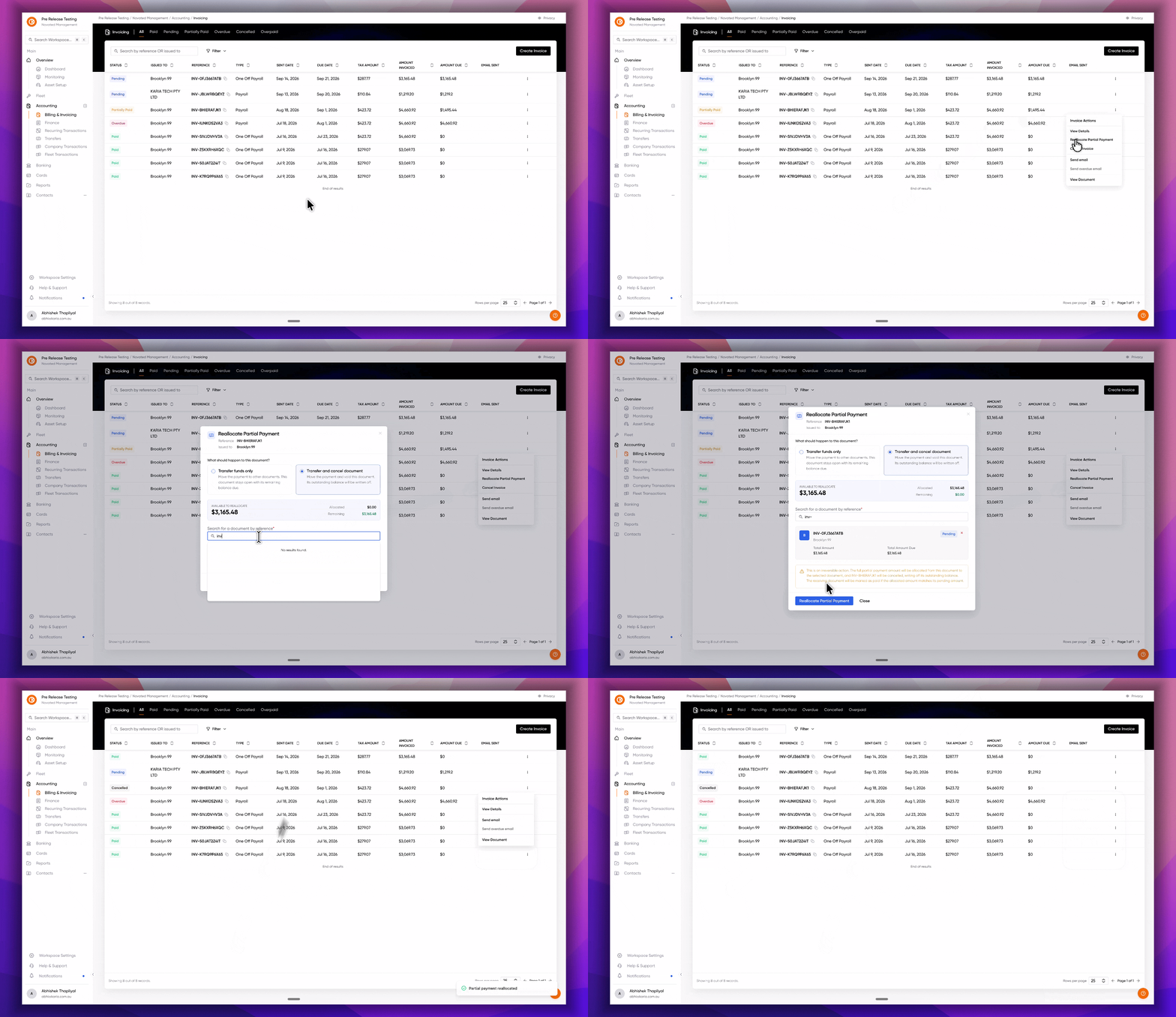
Cancel partially paid invoices
We know how frustrating it is to have a "stuck" invoice cluttering up your dashboard. In the past, if a customer paid part of a bill but couldn't finish the rest, you had to reach out to our support team to manually close it out. We’ve fixed that! You now have the power to cancel partially paid invoices yourself, saving you a trip to our inbox and keeping your bookkeeping spotless.
Here is how this update makes your life easier:
-
Total Control: You no longer need to wait for us. If an invoice needs to be closed, you can handle it in two clicks.
-
Safety First: We’ve added built-in guardrails so you don't accidentally cancel the wrong thing. The system will double-check with you before any changes are finalised.
-
Crystal Clear Records: Every cancellation creates an automatic audit trail. You’ll always see exactly who cancelled the invoice and when, which keeps things transparent for your whole team.
-
Clean Balances: When you cancel a partial invoice, our ledger does the heavy lifting for you. It automatically marks the remaining unpaid portion as "written off" so your customer’s balance returns to zero instantly.
Ready to clean up your dashboard? Just head over to any active invoice with a partial payment and you'll see the new Cancel Invoice option waiting for you. Happy organising!
Bulk delete orphan fuel transactions
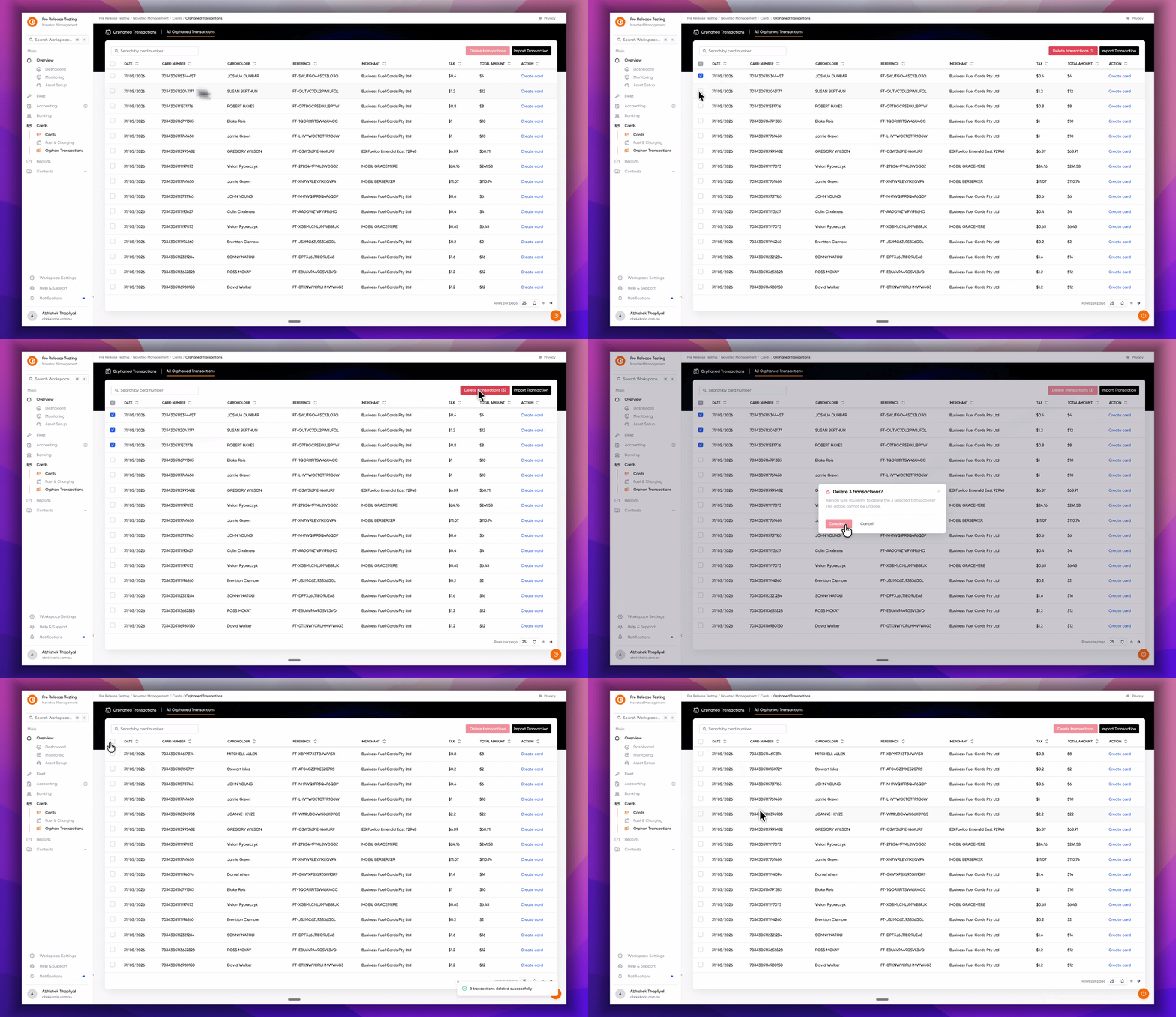
We know how annoying it is to see "orphaned" fuel transactions cluttering up your list: those pesky entries that aren't linked to a specific card account. Previously, you had to reach out to our support team to get these cleared out. Now, we’re putting the broom in your hands so you can keep your data tidy without the wait.
Here is how the new cleanup tool works:
-
Bulk actions: No need to click one by one. You can select and remove multiple orphaned transactions at once (up to 100 at a time) to save time.
-
Smart confirmation: The system counts your selections and double-checks with you before anything is moved, calling out if any transactions were already handled by a teammate.
-
Permission gating: Deletion requires specific fuel transaction permissions, so the right people stay in control of the data.
-
Audit-ready safety: Nothing vanishes silently. Deleted transactions are removed from your view but kept behind the scenes with a full audit log of who deleted what and when.
Head over to the Orphaned Transactions tab today to start clearing out the clutter!
Configurable petrol and diesel prices for quotes
We have surfaced more control to you and your sales team, by allowing you to set your own petrol and diesel prices on each budget template that can be used in your quote(s) and also you can override it per quote. Giving you the flexibility to adjust values on the fly!
The estimated monthly fuel cost is calculated from the vehicle's fuel consumption (with a 10% safety buffer), your fuel price, and the annual kilometres, then divided by 12.
Monthly fuel cost = fuel consumption × 1.10 × fuel price × annual km ÷ 12
Improvements and Bug Fixes 🎯
-
Fixed an intermittent 500 error when cloning a quote.
-
Fixed a bug where receipts were showing up as negative line items
-
Fixed notification badge not showing any details for older invoices.