
Changelog #2026-06-18

Report Exports
We have introduced a way to give novated lease providers the ability to export their data out of our system, with the new Report Exports feature. This is supported in both sales and origination as well as fleet management to allow you to export deals, contacts, invoices, to name a few.
You will find this feature under Reports in the sidebar. However, it will be disabled by default.
To enable this feature per workspace, we have added a new setting in Workspace Settings under General. You can enable or disable this feature at anytime.
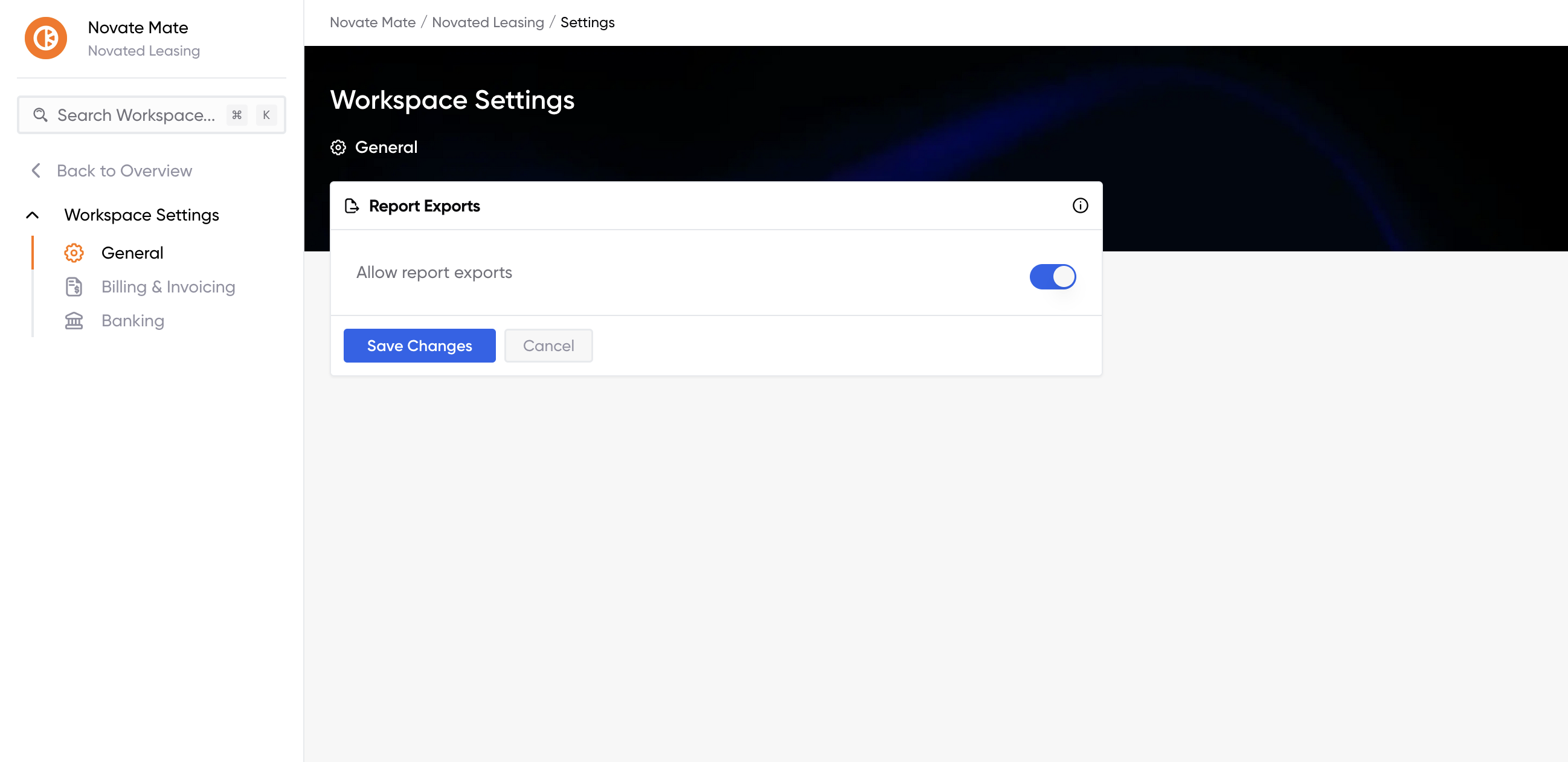
Once enabled, you will be able to generate exports in that workspace. There will be different reports available depending on the workspace.
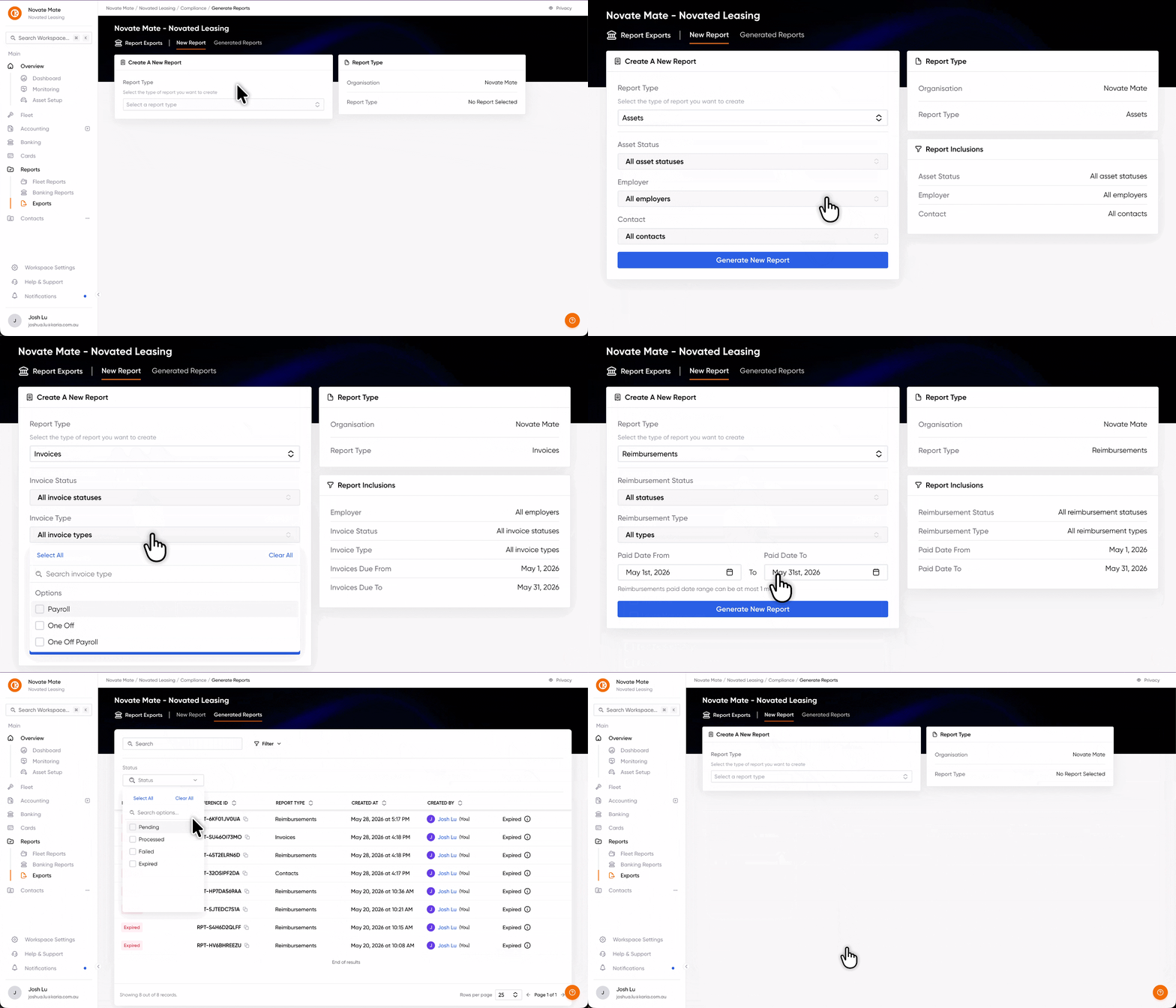
Generating a report for export
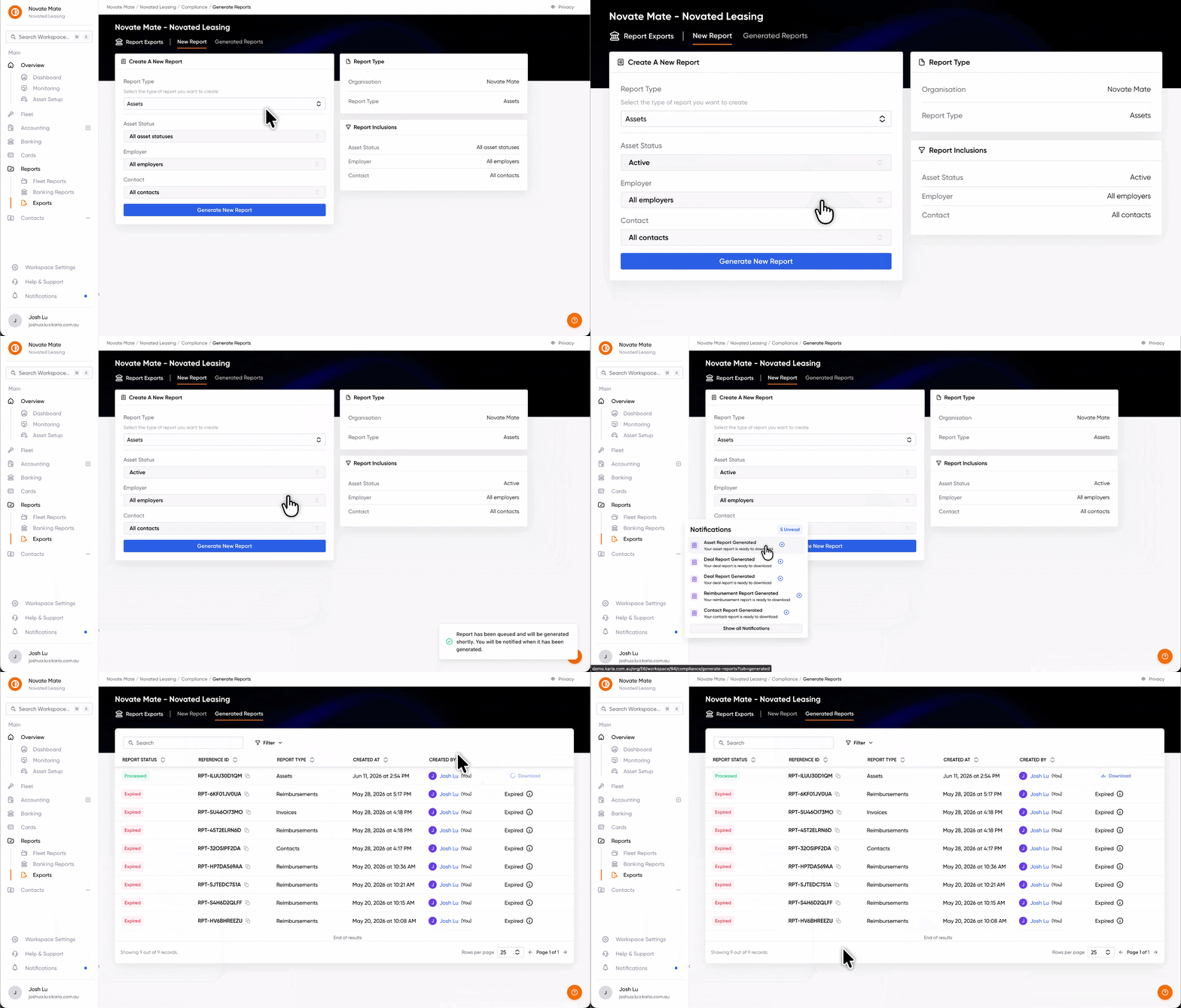
Each report will have its own set of filters or no filters at all. Once you click Generate New Report, it will be processed in the background.
You will receive a notification in the app once it has been generated, which will take you to the Generated Reports tab where you can download your report.
Please note that reports will expire after 24 hours, after which the report will not be available for download.
Configurable Columns for Fleet Transactions
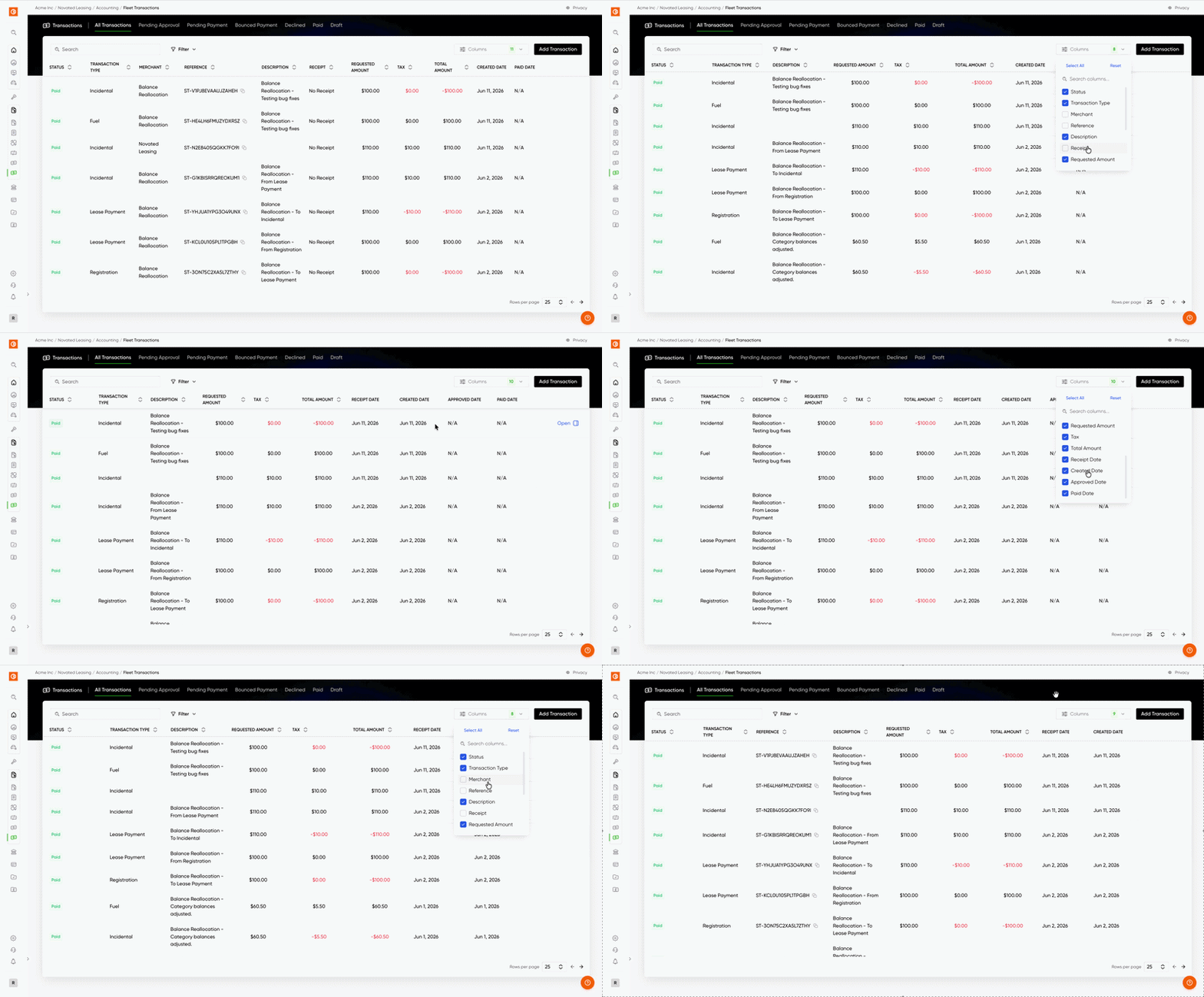
You can now choose which columns show up in the Fleet Transactions table. Hit the new "Columns" option in the filters and pick what you want to see.
By default you'll see the usual suspects: Status, Transaction Type, Merchant, Reference, Description, Receipt, Requested Amount, Tax, Total Amount and Created Date. Your selection sticks for the workspace, so next time you revisit the table, your see your saved selection.
Searching transactions by bank reference
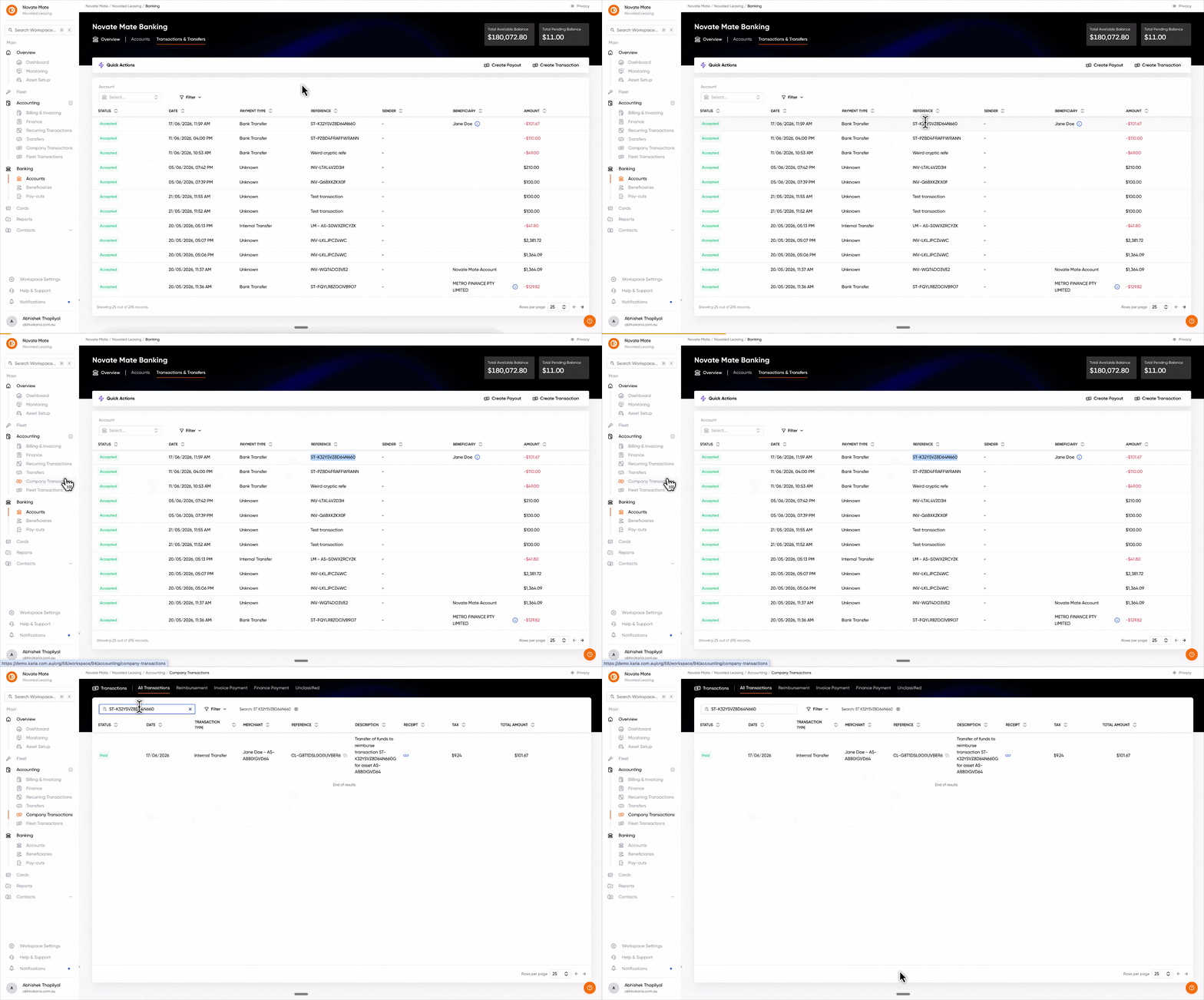
Finding the right transaction just got a whole lot easier. You can now search your company transactions using the specific bank reference code attached to the payment.
Before this update, tracking down a specific payment felt a bit disjointed. You often had to play detective, cross-referencing amounts and sender names to hope for a match.
Now, you can skip the guesswork. By searching with the bank reference, you’ll find exactly what you’re looking for in seconds, giving you instant clarity on why a payment was made and where it belongs.
-
Precise matching: No more scrolling through identical payment amounts.
-
Save time: Find the right data instantly using the reference on your bank statement.
-
Stay organised: Keep your bookkeeping clean with zero manual effort.
Bug Fixes and Minor Improvements
We’ve been busy tidying up under the hood to make your experience smoother. Here are the latest fixes and improvements:
-
Same-day filtering: You can now filter your bank transactions for a single day without any errors
-
Clean up your contact lists: You can now delete old or incorrect contact methods while editing, making it easier to keep your data accurate and clutter-free.
-
Better FleetCard tracking: We’ve added "Batteries" as a new category to FleetCard mapping, giving you more precise control over your vehicle expenses.
-
New financing options: Welcome Allied Finance! You can now select them as a financier, giving you more flexibility when managing your assets.
-
Solid asset closing: We’ve put a stop to negative balances appearing when you close an asset.
-
Accurate Payroll Advice Report: We fixed an issue in Sales and Origination where unfiltered budget categories were causing incorrect invoice amounts when generating a payroll advice document.