
Changelog #2026-06-01

Along with several bug fixes, this week we're releasing an enhanced Version 2 of Budget Distribution. To better reflect its purpose, the feature has been renamed Reallocate Balances and includes several significant improvements.
Reallocate Balances
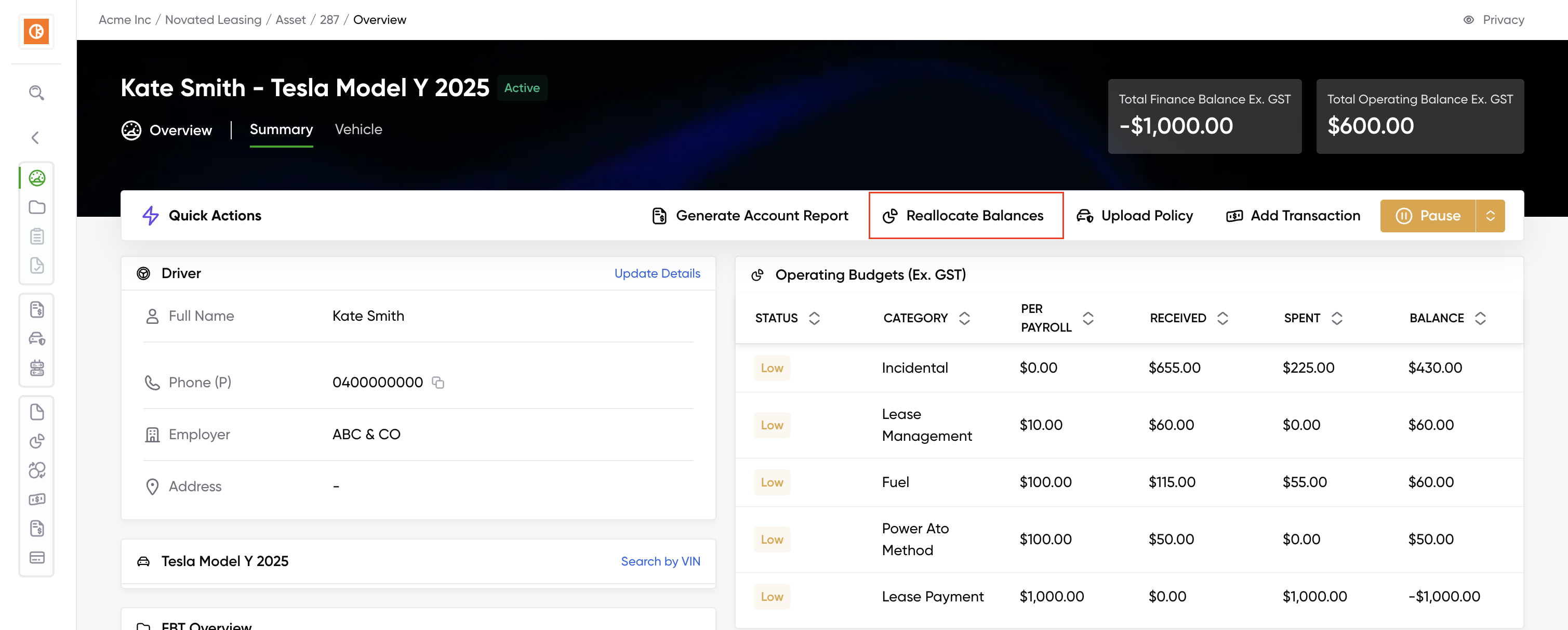
We've redesigned Budget Distribution to give novated lease providers and drivers full visibility into when, how, and why balances have moved between categories. Now named Reallocate Balances, you can find this feature in the Quick Actions Bar in the Asset Level.
What's new
-
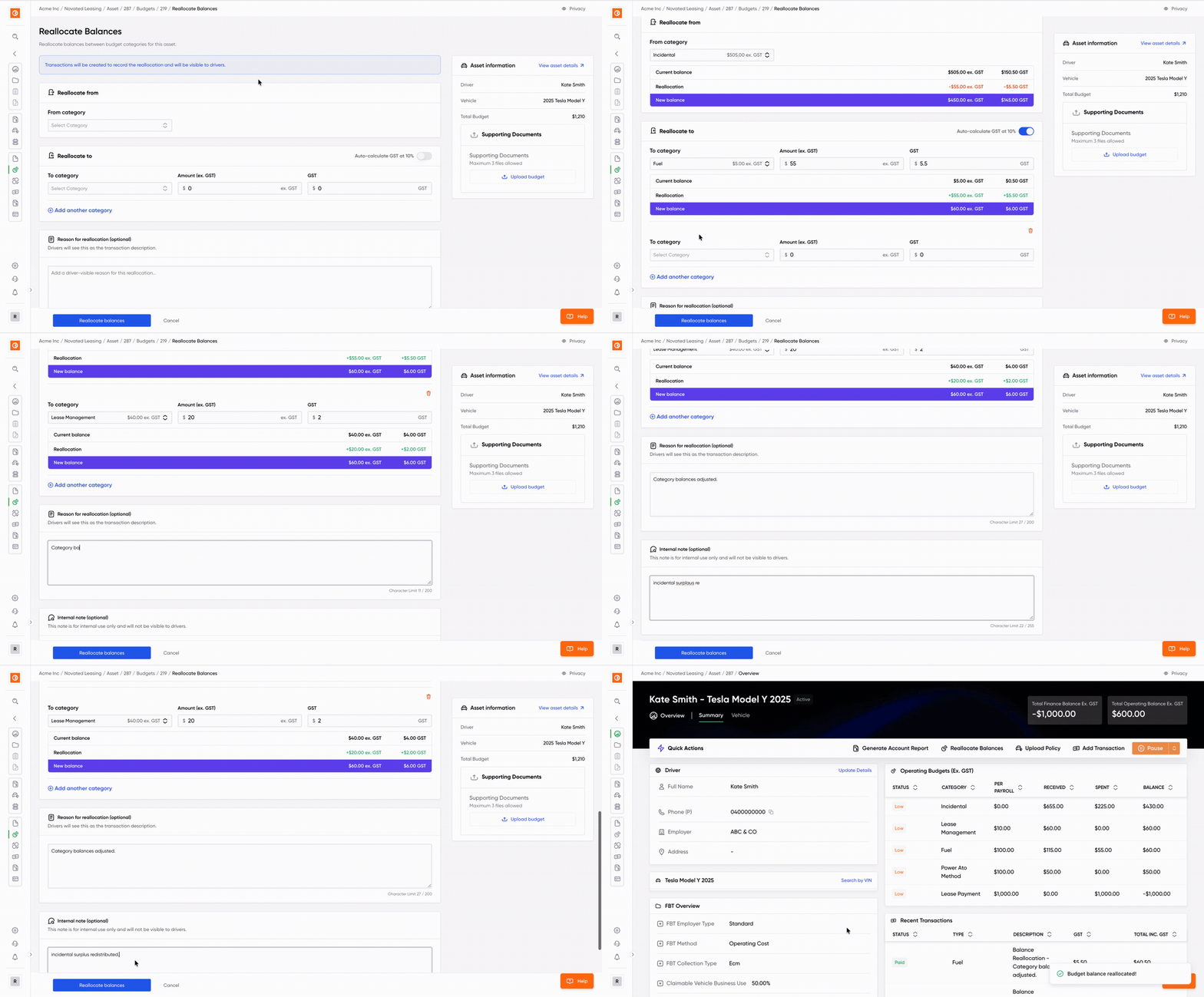
Redesigned Reallocate Balances page with an updated UI, improved layout and clearer error messages.
-
Automatic balance calculation. Just enter the amount you wish to move and then preview the new balances for the source and destination categories before confirming.
-
GST auto-calculation toggle (10%) so you only need to enter the ex. GST amount.
-
Every time you reallocate funds, the system automatically generates transactions. Drivers can easily understand their balances by viewing these on the Novated Driver app or account report.
-
Easily document why a reallocation was made for future reference. You can enter a reason (visible to drivers) and an internal note (for your team only).
-
Audit logging. The date of the reallocation and which user performed it are automatically recorded on the transactions.
-
Confirmation modal to review all changes before submitting.
Bug Fixes & Improvements
-
Fixed an edge case during a reimbursement flow that would cause the page to crash.
-
Improved the loading performance of the Novated Dashboard page.
-
Improved the ABR Lookup component which sometimes would return a malformed response to us & causing no user feedback.
-
Fixed Missing Liberty Finance in the Financier Creation Page.