
Changelog #2026-05-11


This week is another big one at Karia, we've added more efficiencies to the platform and more oversight for you!
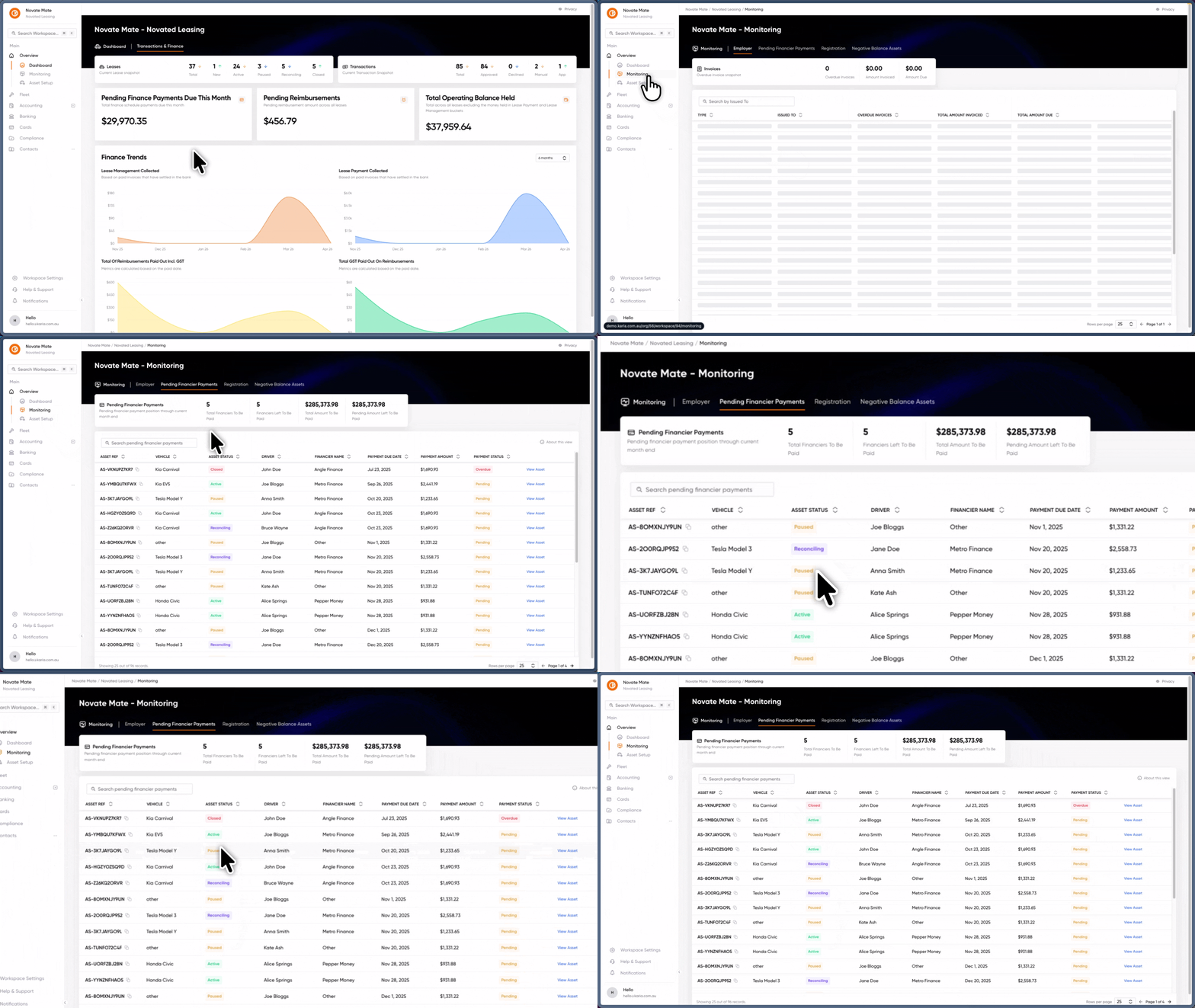
Never miss a beat with financier payment monitoring 💸
You can now see a new item under the monitoring tab called Pending Financier Payments this new menu item gives you more visibility into all pending/missed payments that may need to be made to the financier so you can go in and make those payments or update those records.
Unlock your data with Developer Access 🚀
We've been testing this one in beta for a while, and we're officially ready to open the doors! Organisation owners can now enable API access, making it easier than ever to get your systems talking to Karia.
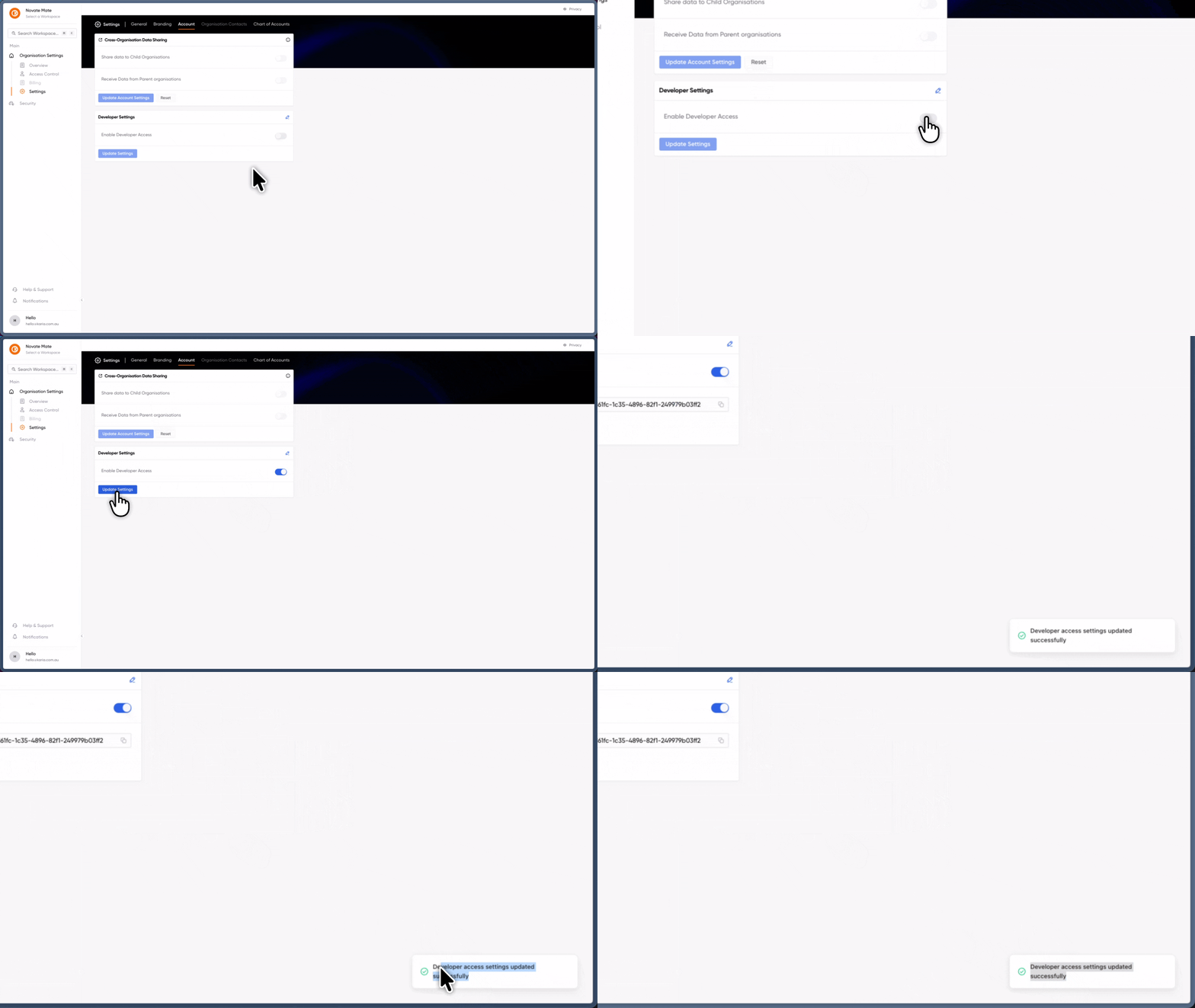
Here’s what you can do with the new Developer Access:
-
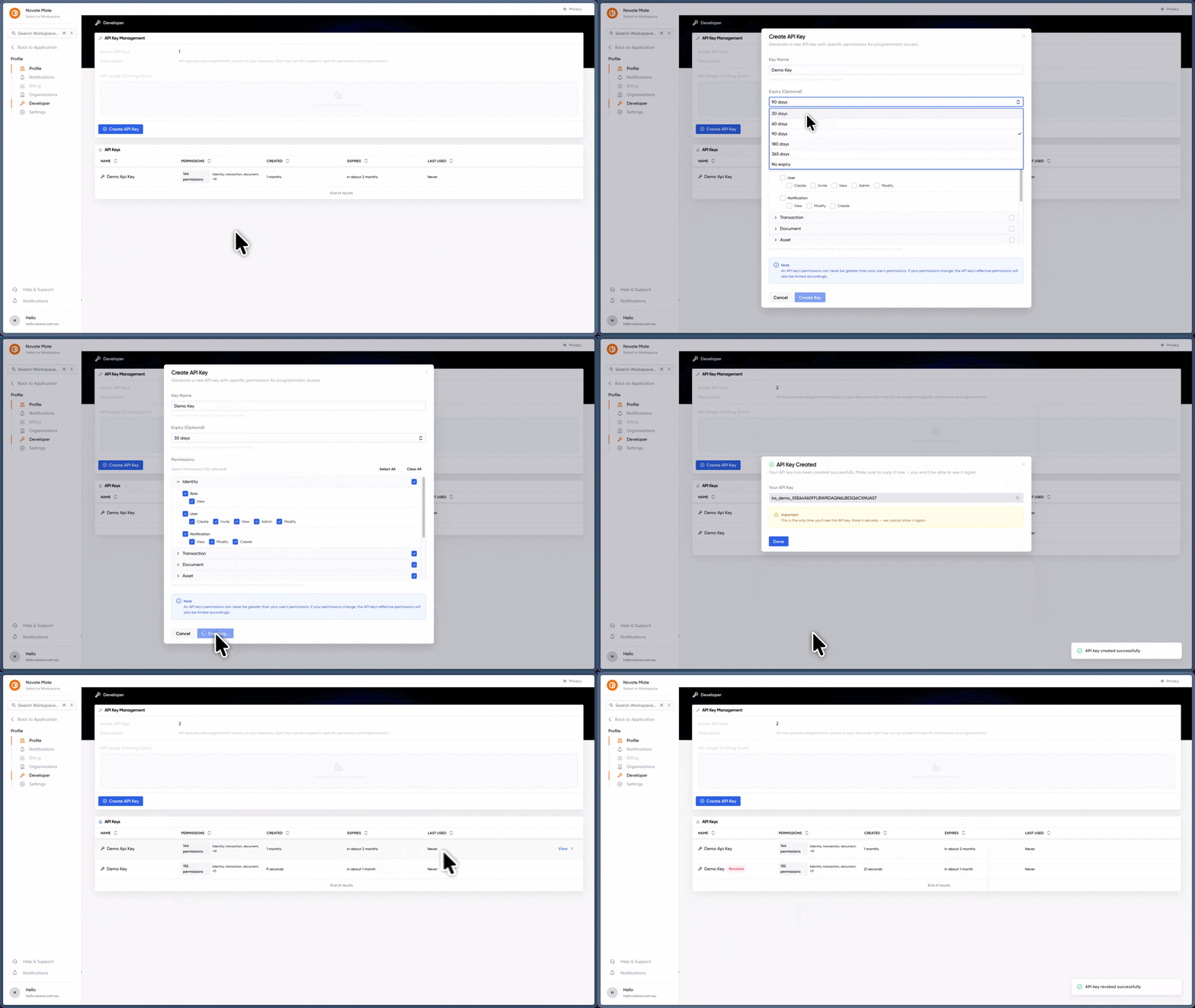
Custom API Keys: Create keys tailored to your specific needs. You can set custom names, define scopes, and set expiry dates to keep things secure.
-
Role-Based Security: Your API keys are smart. They’ll never have more power than you do. For example, if you’re a "Read-Only" user, your API key can’t perform "Admin" actions—even if you check every permission box during setup.
-
Full Control: Instantly revoke keys whenever you need to, putting you in total command of your data flow.
Ready to start building? Head over to your user settings to grab your first key and get started.
Give your quotes a name
Keeping track of your quotes just got a whole lot easier. You can now give every quote a custom name, making it a breeze to organise your workflow and find exactly what you’re looking for in seconds.
Whether you want to label a quote by a specific project, a client nickname, or a priority level, the power is in your hands. You’ll find the new rename tool waiting for you right in the quote tables and within the quote form itself.
How it works:
-
Personalise it: Click the pencil icon next to the quote name field to type in a name that makes sense to you.
-
Let us handle it: Feeling a bit of writer's block? Simply click the 'use auto-generate name' button. We’ll instantly create a name for you based on the vehicle details.
All your quotes, all in one place
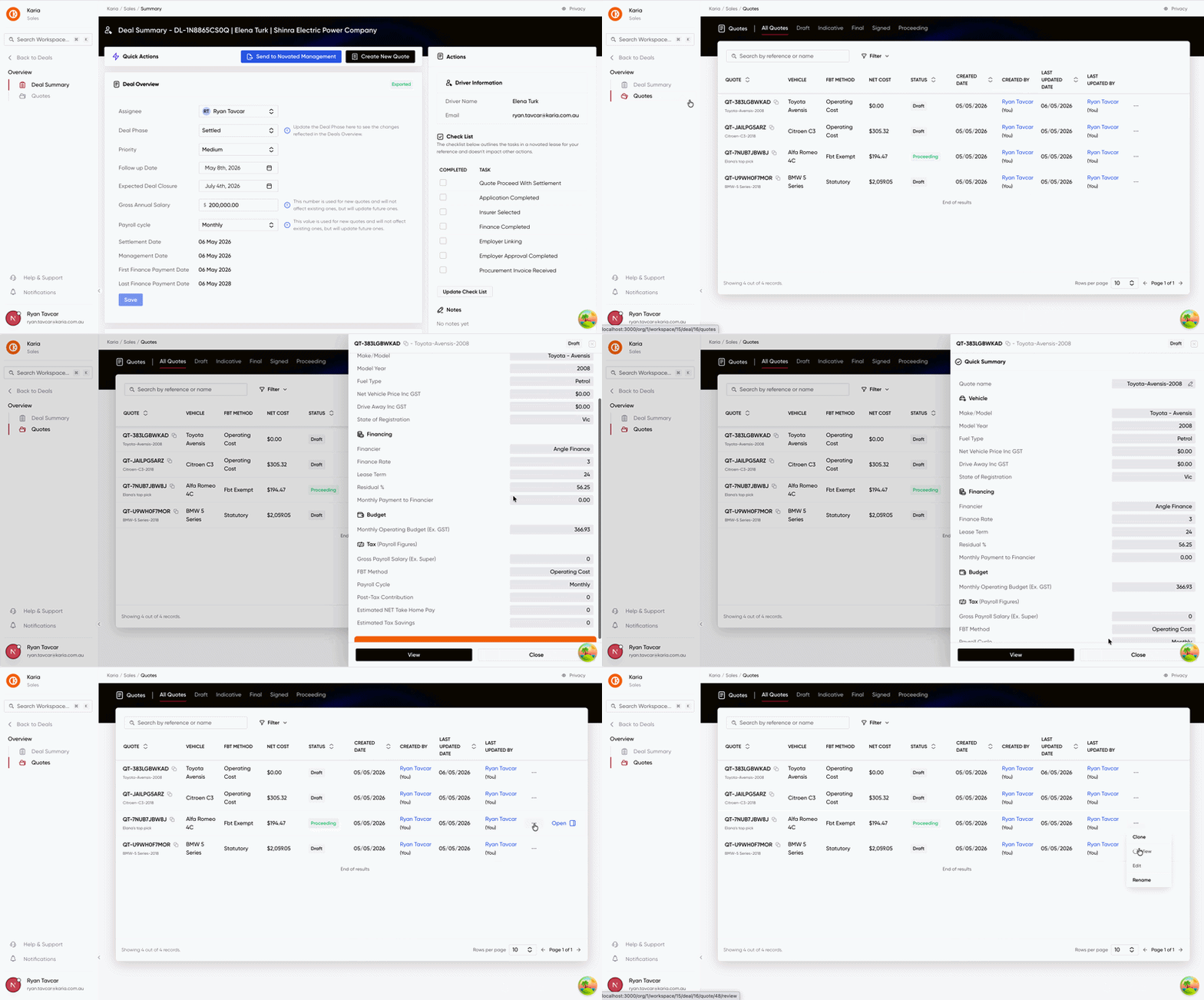
We’ve introduced a dedicated Quotes menu within your Deal summary to help you manage and compare your quotes.
Here’s what’s new in your Deal view:
-
The new Quotes menu: We’ve added a dedicated space where every quote for a deal lives in one centralised table. No more digging through different screens. Just a clear, high-level view of every quote at a glance.
-
Quick Summary side sheet: Need the details without leaving the page? Click any quote to slide out a summary. It pulls in everything that matters, pricing, vehicle specs, finance details, and FBT.
Building this table was all about visibility. Now you can see the full picture and get the data you need without ever having to leave the deal for the dedicated quote page.
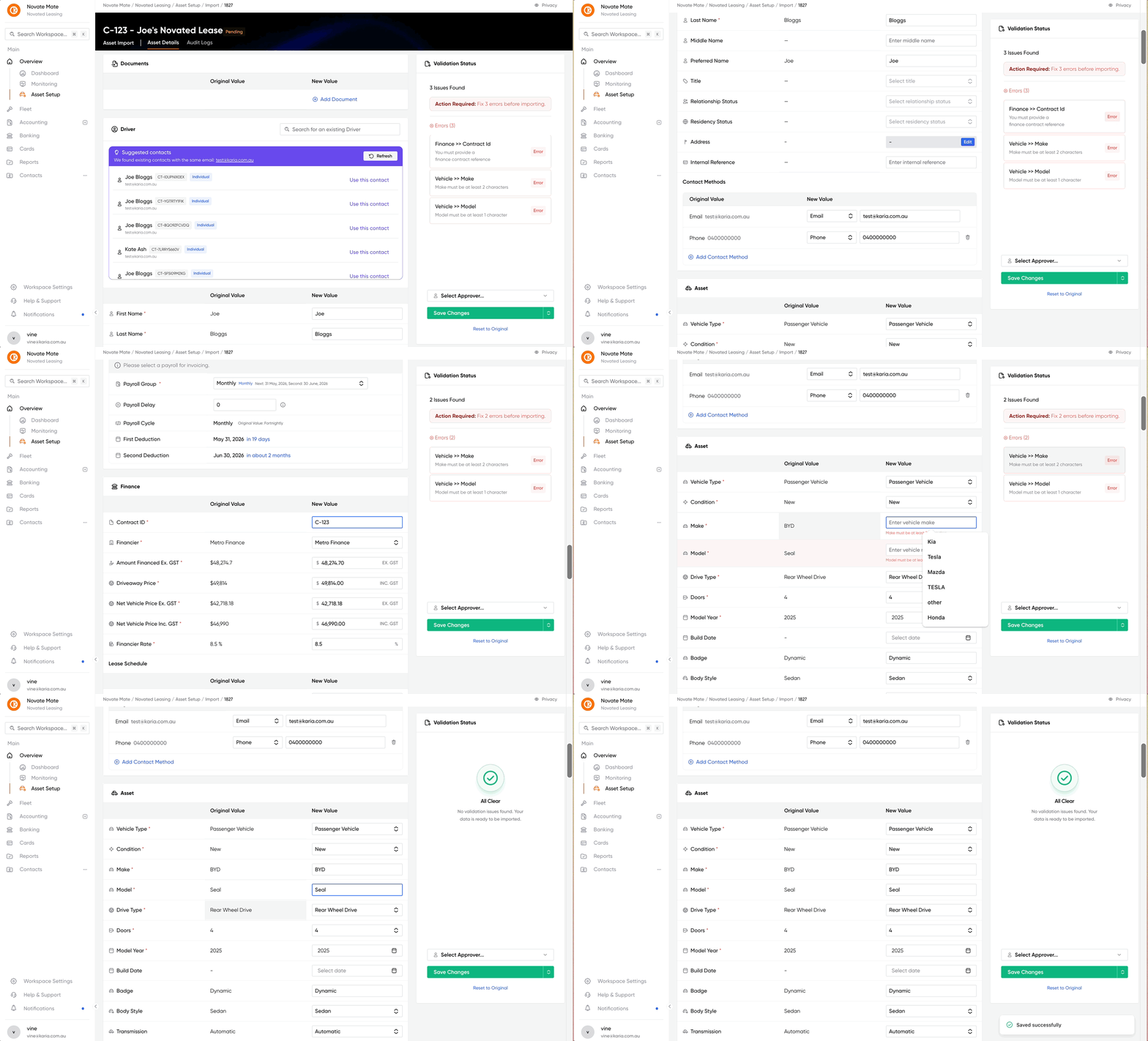
A Better Asset Import Experience is Here
We’ve completely refreshed the Asset Import experience to make it faster, clearer, and far easier to use from start to finish.
Here’s what’s new:
-
A cleaner, more user-friendly layout makes the import process easier to follow.
-
Improved step-by-step guidance helps users complete tasks with more confidence.
-
Better form checks catch missing or incorrect details earlier, with clearer prompts.
-
Faster, smoother flow reduces back-and-forth and helps users finish imports more efficiently.
-
Overall experience feels more reliable and easier to use in everyday work.
Fixes & Improvement
- Fixed an Error state when navigating to a pay screen from a reimbursement flow