
Changelog #2025-09-30
This week’s updates focus on improving quoting in sales, banking reports, invoicing, and transactions workflows.
You can now add multiple policies and see the budget payroll figures in Sales. We've also added more tab filters for recurring transactions, invoicing, and banking reports, as well as several bug fixes and performance improvements across the platform. Here's what's new:
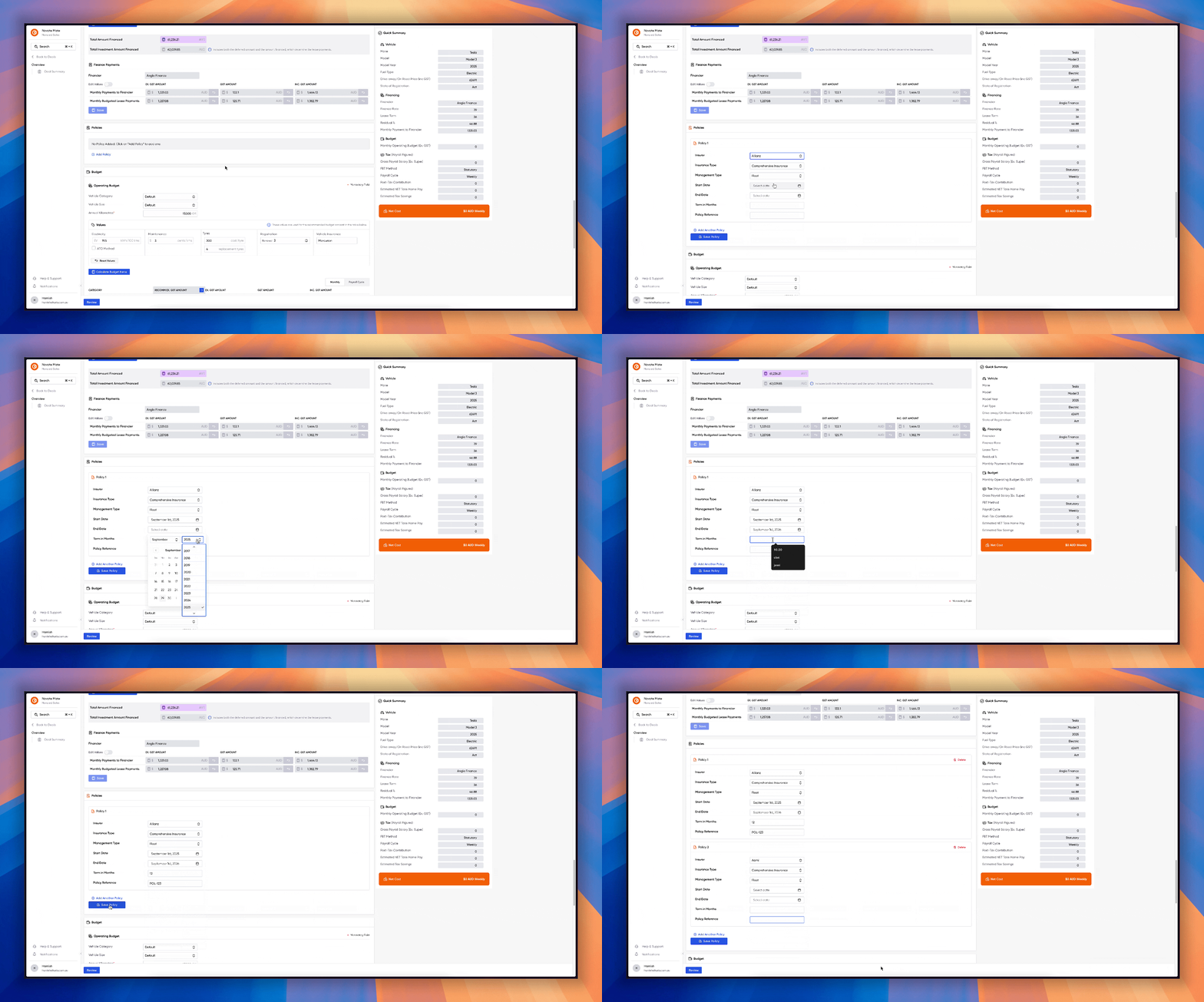
Policies in Sales
You can now add multiple policies to a single sales quote — perfect for bundling coverages and managing everything from one place. Create consolidated quotes, and keep related policies attached to the same deal for simpler tracking and reporting.
This is the first version of multi-policy quoting — more improvements are coming, so stay tuned!
Budgets in Payroll Figures
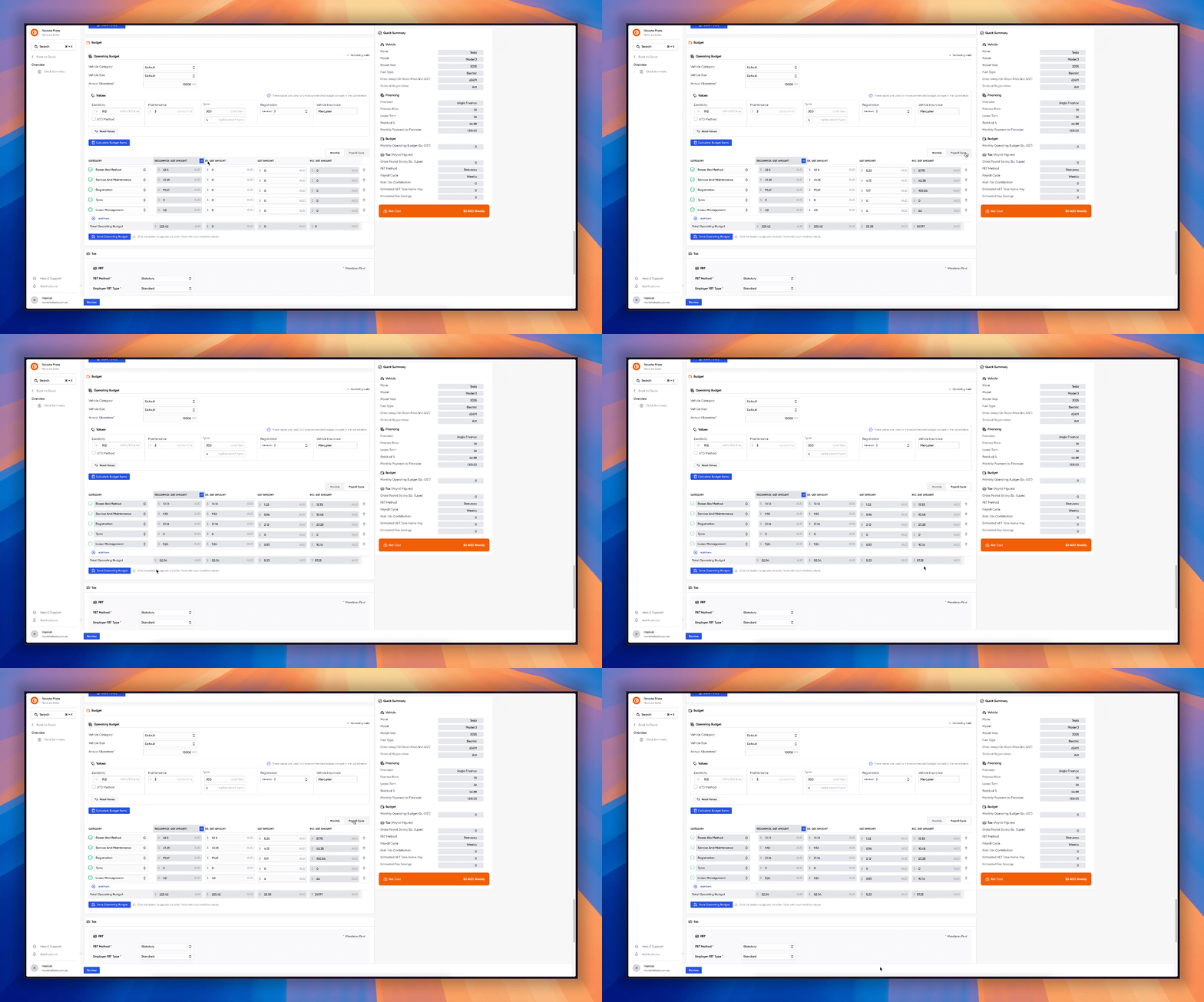
We are constantly listening to your feedback, and now we've implemented another highly requested feature. Payroll-based budget conversions are here! When you're building a quote in Sales, just toggle between Monthly and Payroll Cycle to instantly see amounts converted to the customer's pay schedule. Faster quotes you can send with confidence.
-
Instant toggle between Monthly and Payroll Cycle views to compare amounts.
-
Automatic conversion of budget figures to match the customer's pay schedule.
-
Less guesswork and fewer pricing errors when finalising quotes.
Recurring Transaction Details with Transaction View
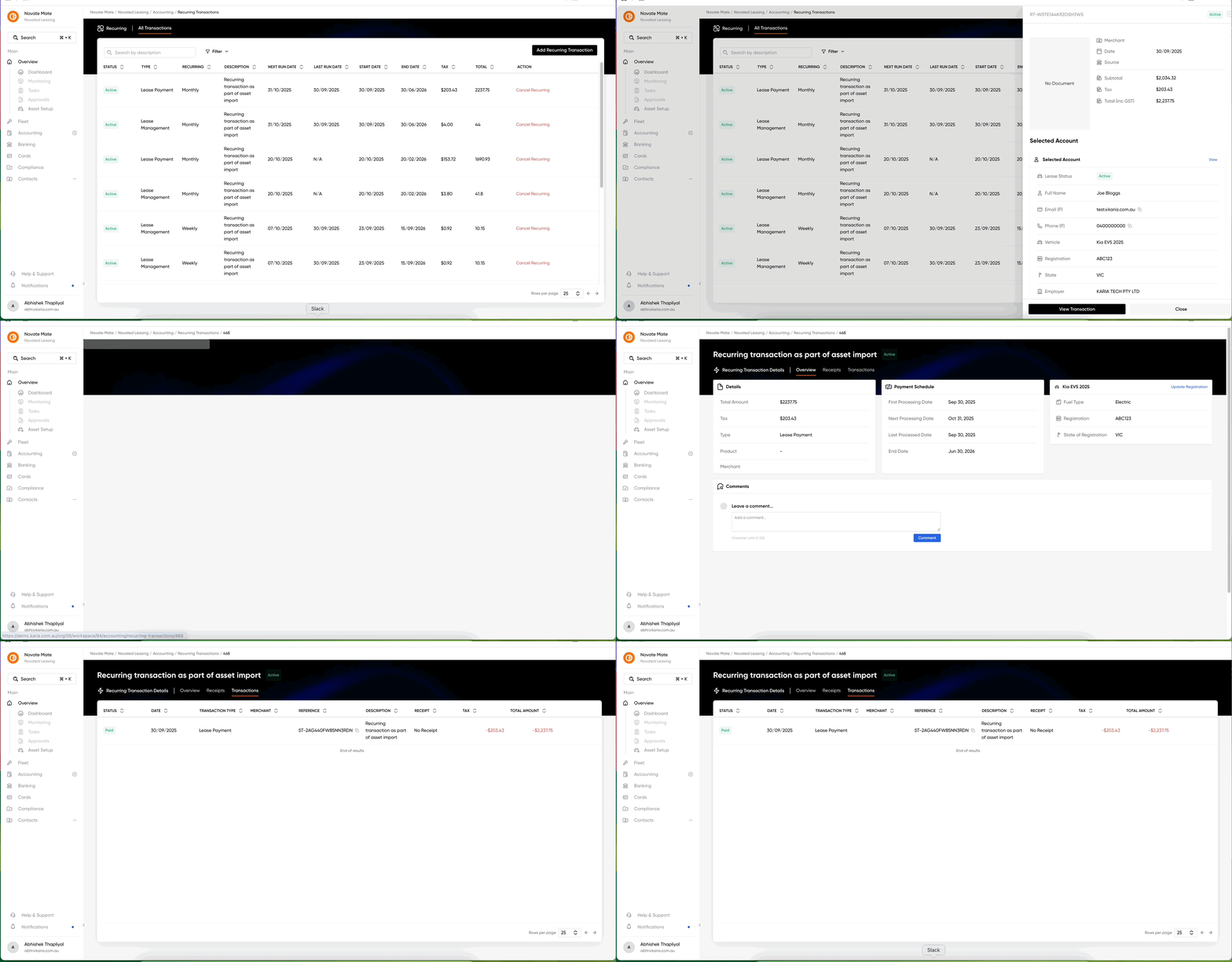
The recurring transaction details page now includes a Transactions view that lists every occurrence tied to the recurring setup. Open any transaction to see its full details — status, amounts, receipts, and associated asset.
-
Review past transactions
-
Jump straight to an individual transaction for troubleshooting or reconciliation.
-
See each transaction's status, amounts, receipts, and associated asset at a glance.
Overpaid view in Invoices + improving partially paid view
We've added an Overpaid view in the Invoices table to surface invoices that received more than the expected payment. This feature aims to improve your workflow, faster reconciliation, fewer manual checks, and clearer next steps when payments don't match invoices.
-
See overpaid invoices and the exact overpayment at a glance.
-
Partially paid view now show overdue partially paid ones as well
The Overpaid tab is crucial for creating credit notes, as it allows you to allocate overpaid funds to generate a credit note and apply it toward an existing unpaid invoice. This feature is currently in development, so keep an eye on future change logs to be notified when it is released.
Generated Banking Reports
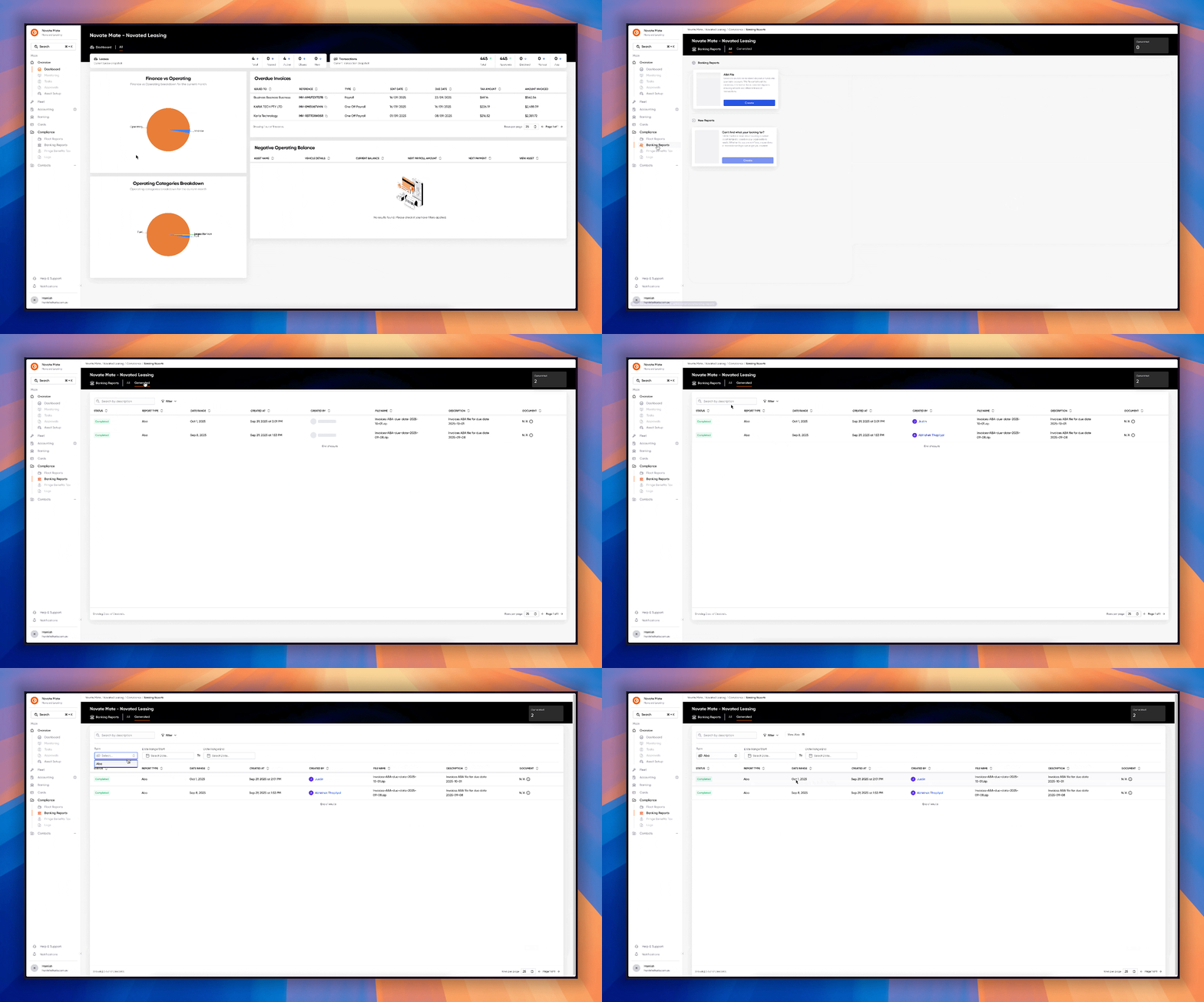
We've added a Generated tab under Banking Reports that lists previously created ABA files for fleet payments. Find and retrieve payment files quickly, audit who generated them, and simplify bank reconciliation for fleet payments.
-
A table of generated ABA files with creation date, filename, and who generated each report.
-
Filters for date range and document type to quickly narrow results.
-
Download or preview files directly from the table for faster reconciliation (if available)
Bug Fixes & Performance Improvements
-
Policy workflows: Open linked accounts directly from a policy and view account details without extra clicks — plus small UI tweaks to make policy actions clearer.
-
Fleet transactions: Extended status advance filters to make it faster to narrow results and find the transactions you need.
-
Company transactions: New advanced filter by transaction type.
-
Search contacts: Search existing contacts by Reference ID, or by Name for more accurate results.